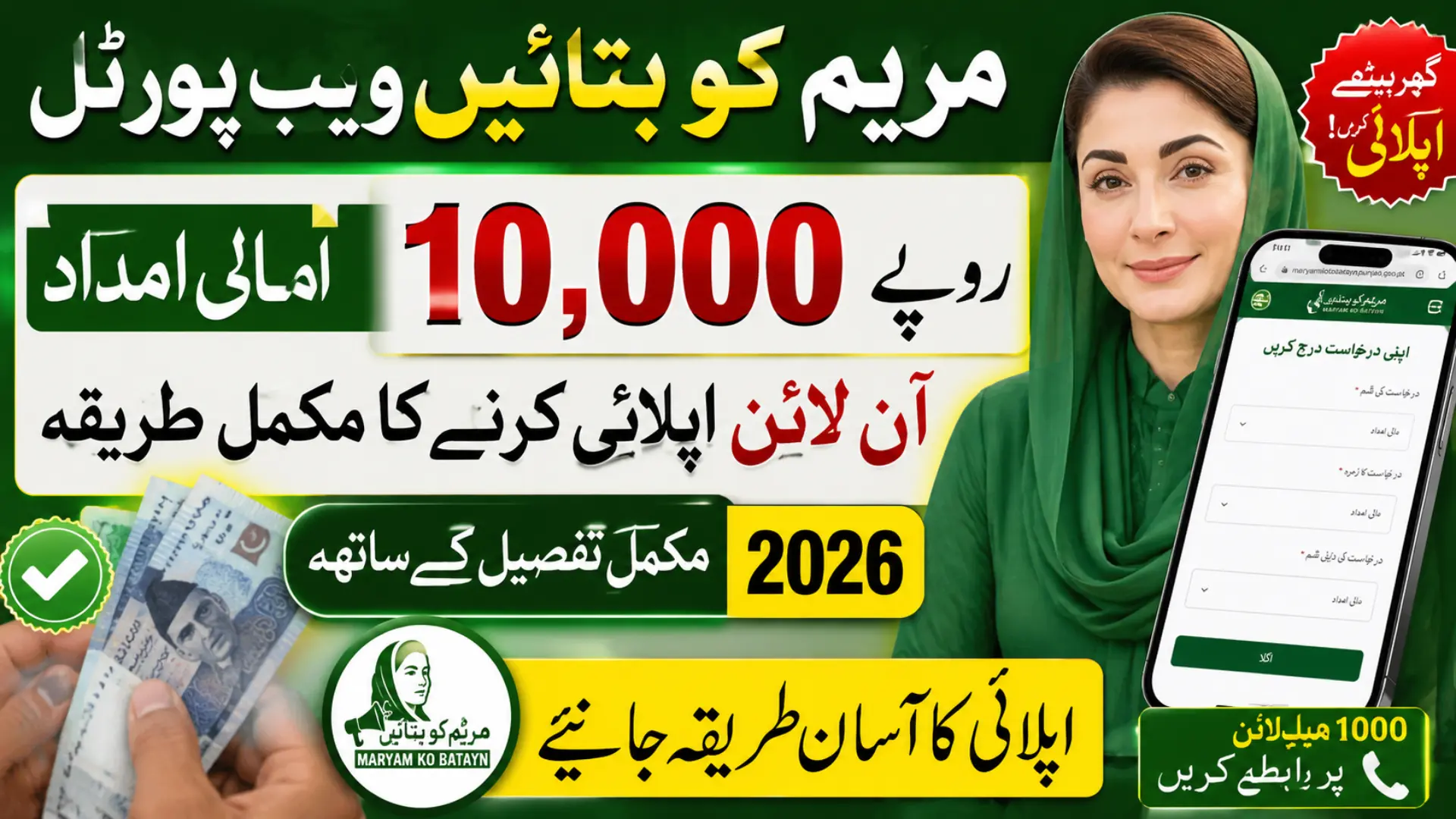
Have you completed your PSER survey but still haven’t received the Rs. 10,000 financial assistance? Many families across Punjab are facing the same problem. Some people don’t know where to apply, while others are confused by different information circulating on social media.
If you’re worried about missing out on support that could help with household expenses, this guide is for you. Here, you’ll learn the complete process of applying through the Maryam ko Batayn Web Portal, the documents you need, and the simple steps that can help you submit your application without confusion.
Quick Answer
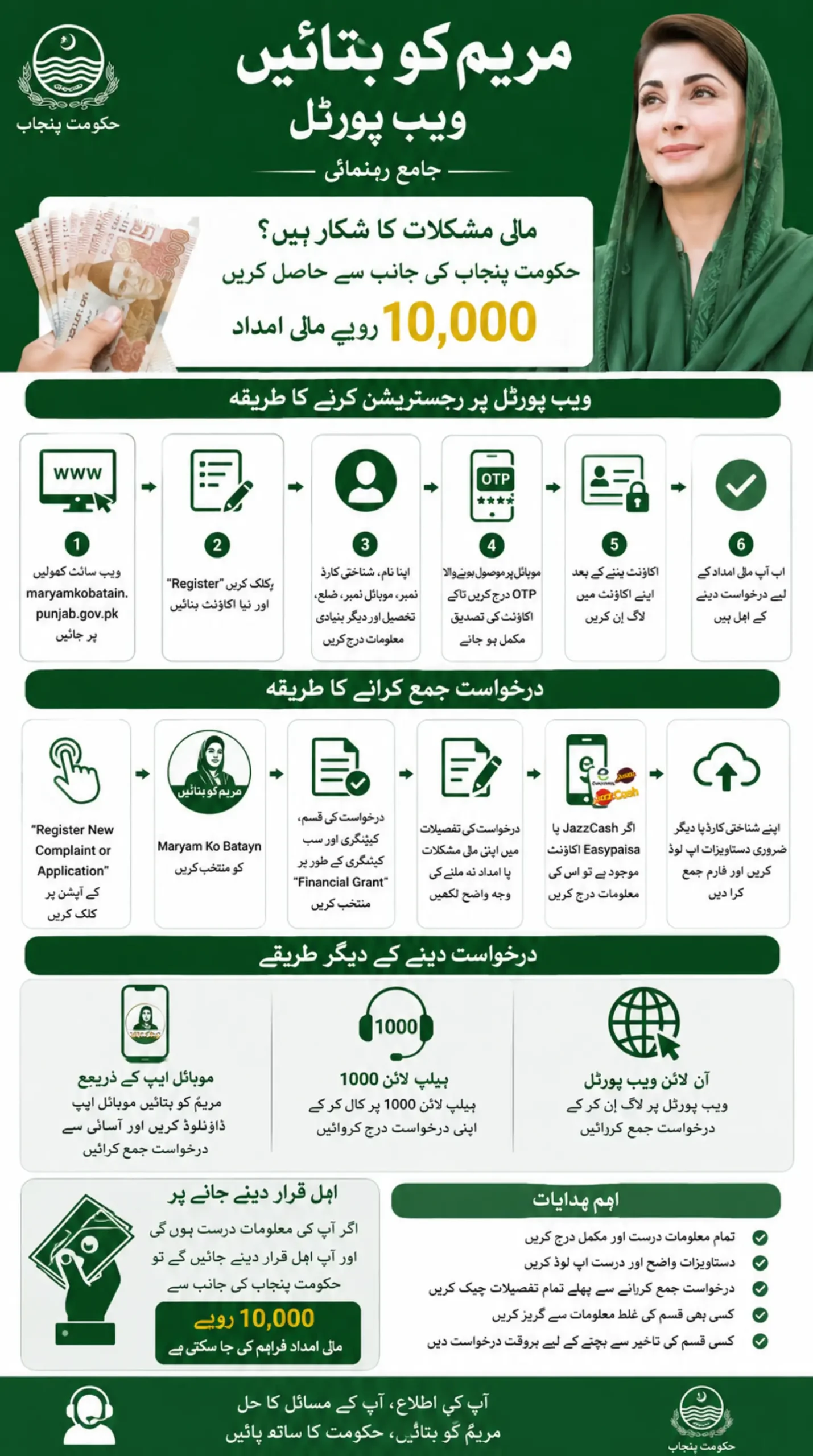
Citizens can apply for the Rs. 10,000 financial assistance through the Maryam ko Batayn Web Portal by creating an account, verifying their details through OTP, logging in, selecting Financial Grant, providing request details, uploading supporting documents, and submitting the application for verification.
Maryam Ko Batayn Web Portal at a Glance
| Details | Information |
|---|---|
| Program Name | Maryam Ko Batayn |
| Financial Assistance | Rs. 10,000 |
| Target Beneficiaries | Deserving and low-income individuals |
| Application Method | Online Portal, Mobile App, Helpline |
| Registration Requirement | CNIC and Mobile Number |
| Verification | OTP Verification |
| Helpline | 1000 |
| Province | Punjab |
What Is the Maryam Ko Batayn Web Portal?
The Maryam ko Batayn Web Portal is an online citizen facilitation platform launched by the Punjab Government. It allows residents to submit complaints, suggestions, applications, and requests for financial assistance through a digital system.
Instead of visiting multiple offices, applicants can submit their concerns from home and track their requests through a single portal. The platform is also connected with various welfare initiatives designed to support deserving families facing financial difficulties.
Also Read: Apna Khet Apna Rozgar Scheme Balloting Result 2026 – 30,000 Successful Applicants Announced
Who Can Apply for the Rs. 10,000 Financial Grant?
The program is mainly intended for:
- Low-income families
- Deserving individuals facing financial hardship
- People affected by economic difficulties
- Applicants whose welfare data requires review
- Citizens seeking emergency financial support
Providing accurate information during registration increases the chances of successful verification.
How to Register on the MKB Registration Portal
Before submitting an application, you must create an account on the MKB Registration Portal.
Step 1: Open the Portal
Visit the official Maryam Ko Batayn portal and select Sign Up.
Step 2: Enter Personal Information
Fill in the required details:
- Full Name
- CNIC Number
- Mobile Number
- Email Address
- Gender
- Province
- District
- Date of Birth
- Residential Address
Step 3: Create a Password
Choose a secure password and confirm it.
Step 4: Submit Registration
Click the Submit button.
Step 5: Verify Your Account
An OTP code will be sent to your registered mobile number and email address.
Enter the OTP to complete verification.
Once verified, your account will become active.
Also Read: Asan Karobar Card Scheme Apply Online 2026 Step-by-Step Full Guide
How to Apply for Rs. 10,000 Through Maryam Ko Batayn Portal
After registration, follow these steps carefully.
Login to Your Account
Use your CNIC, email, or registered credentials to sign in.
Select New Application
After logging in:
- Click Register New Complaint or Application
- Choose Maryam Ko Batayn
- Click Next
The application form will open.
Select Financial Grant
In the form:
- Application Type: Financial Grant
- Category: Financial Grant
- Sub-Category: Financial Grant
Choose Your Location
Select:
- District
- Tehsil
Make sure the information matches your official records.
Explain Your Situation
In the Request Details section, explain your issue clearly.
For example:
- You completed the PSER survey but have not received assistance.
- You are facing financial hardship and need support.
- Your eligibility data requires review.
A clear explanation helps officials understand your case.
Digital Wallet Information
The portal will ask whether you have a digital wallet.
If You Have JazzCash or Easypaisa
Select Yes and provide:
- Registered mobile number
- Wallet details if required
If You Do Not Have a Digital Wallet
Select No and continue with the application process.
Upload Required Documents
Applicants should upload supporting documents such as:
- CNIC copy
- Relevant applications
- Proof of hardship (if available)
- Other supporting documents
Clear and readable documents help speed up verification.
Submit Your Application
After reviewing all details:
- Click Submit
- Save your application reference number
- Wait for verification
The concerned department will review your information and determine eligibility.
How to Track Your Maryam Ko Batayn Application
After submission, use the tracking option available in your portal account. You may also receive information through:
- SMS on your registered mobile number
- A verification call
- An automated call
- An update on the portal dashboard
- Contact from a relevant district office
Do not ignore calls simply because they come from an unfamiliar number. However, never share your password, ATM PIN, JazzCash PIN or OTP with a caller.
A genuine verification representative may ask about your application, CNIC details or household situation, but they should not ask you to transfer money.
Also Read: Maryam Nawaz Launch Punjab E Bike Scheme 2026 with 70,000 Subsidy and Easy Monthly Installments
Other Ways to Apply In MKB Program
The Punjab Government has provided multiple application channels.
1. Online Portal
The fastest method for most applicants.
2. Mobile Application
Citizens can download the official app and submit requests directly from their smartphones.
3. Helpline 1000
Applicants can also call 1000 for guidance and assistance.
Tips to Increase Approval Chances
Keep these points in mind before applying:
✔ Enter your CNIC correctly
✔ Use an active mobile number
✔ Complete all required fields
✔ Upload clear documents
✔ Provide accurate personal information
✔ Explain your financial situation honestly
✔ Verify your account through OTP
Incorrect or incomplete information may delay verification.
Common Reasons Applications Get Delayed
Some applicants experience delays because of:
- Incorrect CNIC details
- Invalid phone numbers
- Unverified accounts
- Blurry document uploads
- Missing information
- Mismatched personal records
Review everything carefully before submission.
Frequently Asked Questions
Is the Maryam Ko Batayn registration free?
Yes. Registration and application submission are free of cost.
Can I apply using my mobile phone?
Yes. The portal works on smartphones, and the official app can also be used.
Is a PSER survey mandatory?
Requirements may vary depending on the applicant’s circumstances and the verification process.
How will I know if my application is approved?
Applicants are generally informed through the contact information provided during registration.
Can I apply without a digital wallet?
Yes. The portal allows applicants to continue even if they do not have a digital wallet.
What documents are required?
A CNIC copy is commonly required. Additional supporting documents may strengthen the application.
What is the Maryam Ko Batayn helpline number?
Citizens can contact the official helpline 1000 for assistance.
Final Words
The Maryam ko Batayn Web Portal offers a simple way for deserving Punjab residents to request government support without lengthy office visits. By creating an account, completing the application form accurately, and providing the necessary documents, applicants can submit their request for the Rs. 10,000 financial grant through the MKB Registration Portal.
The most important step is ensuring that all information is correct and verifiable, as accurate records can help make the review process smoother and faster.